I am writing this post whilst waiting for Media Encoder to process render a set off After Effects projects to solve a problem that I should have tested before. 🤦♂️
The Problem
One of the sections of the Wonda Site is the collection of Poetic films created by my peers. Three of us created 360 films as a response to this project, the rest of the group created films using with none 360 footage. I hadn’t thought to test how Wonda works with none 360 video, I have used several none 360 still assets in the project so I had assumed (why, why) that the video would work the same way. It turns out that Wonda will import but not work with none 360 video.
Solutions
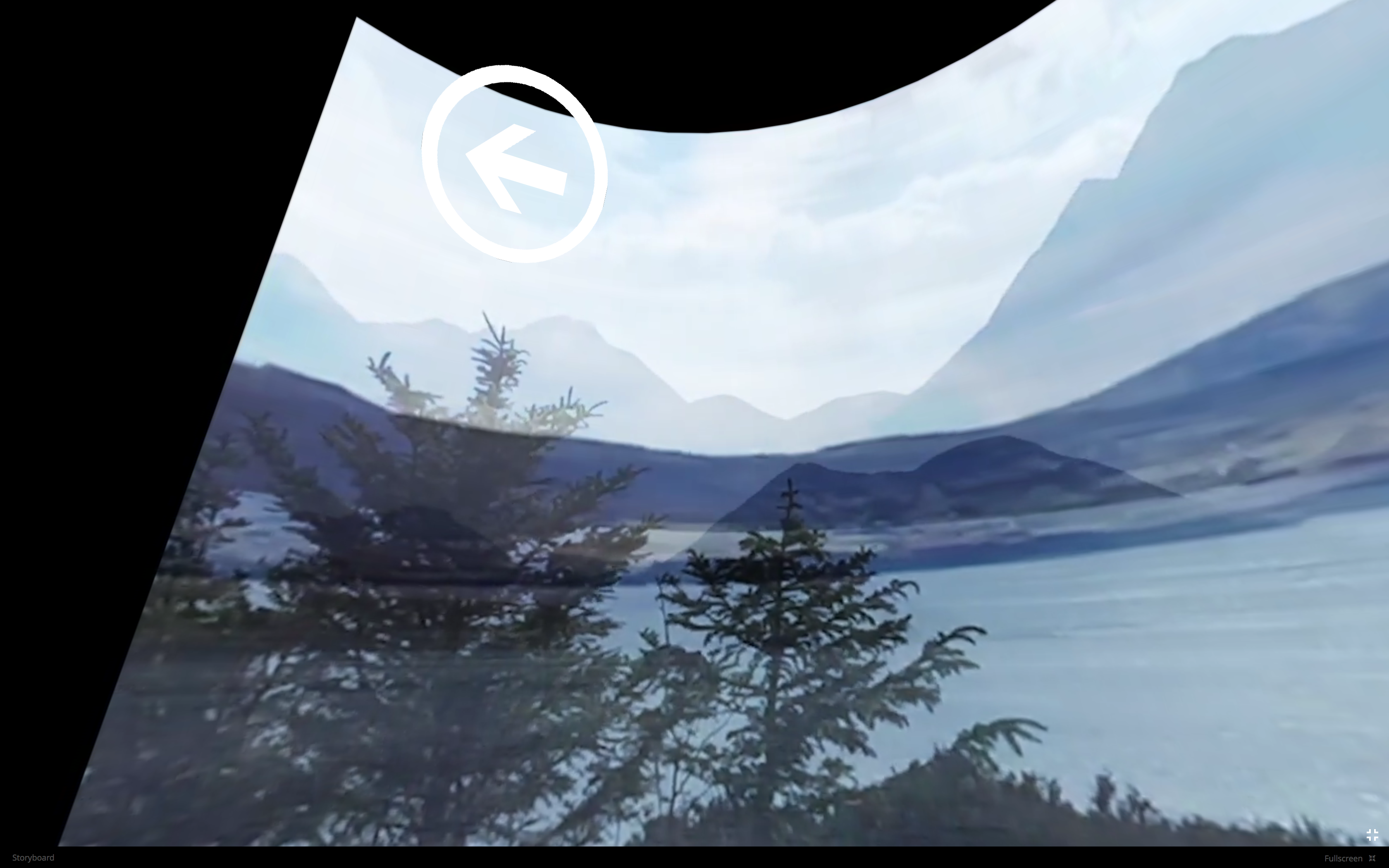
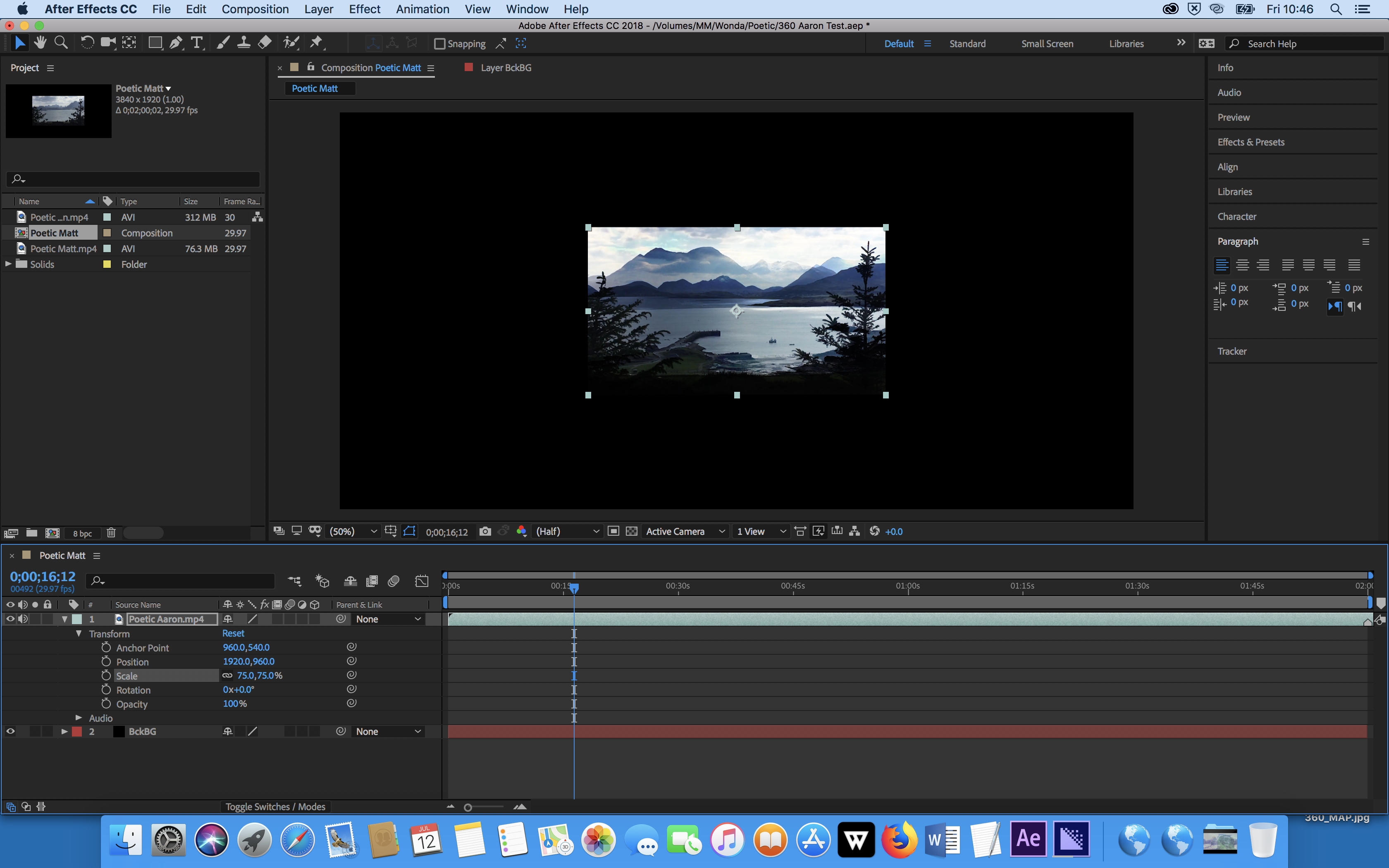
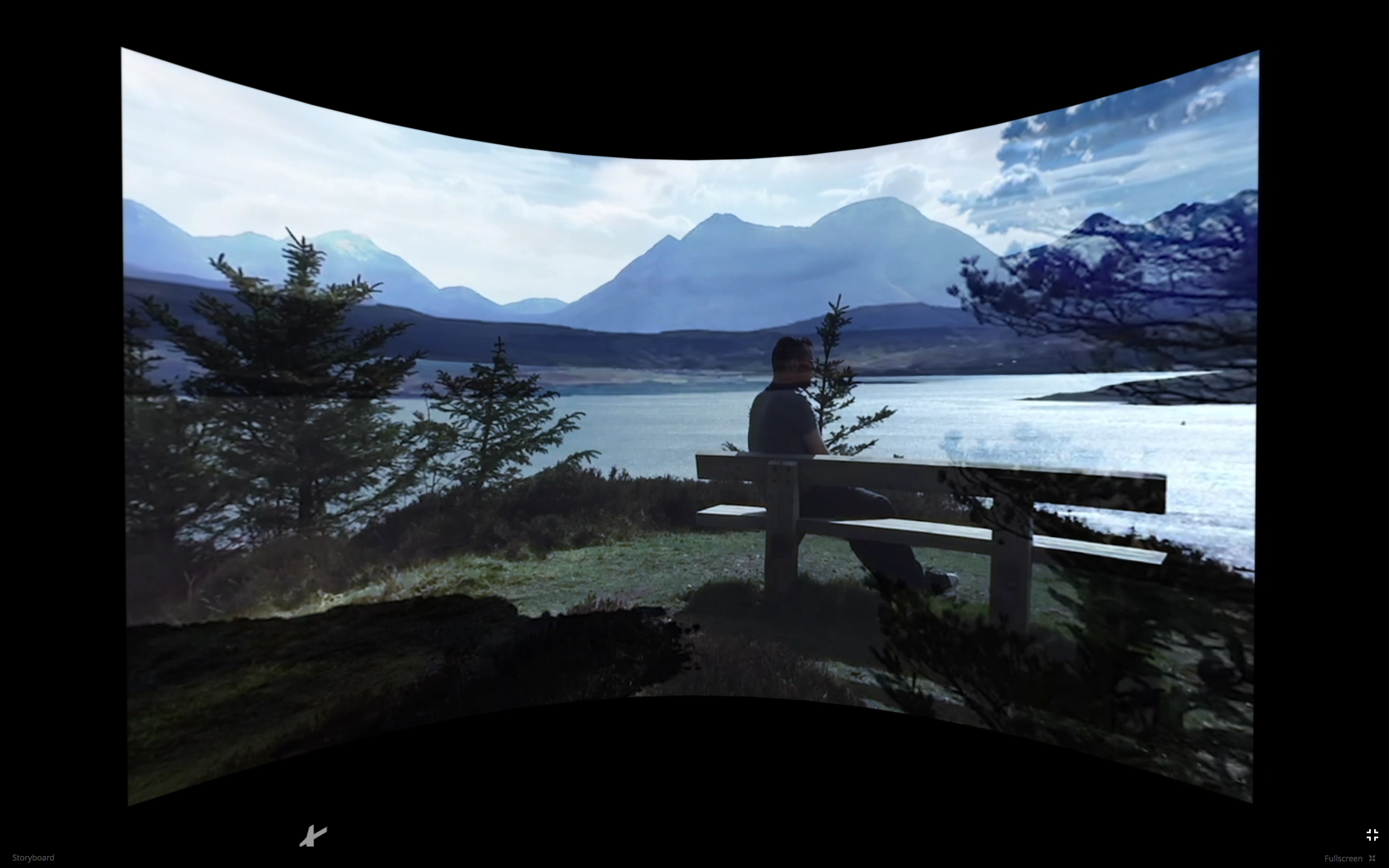
I created a 360 composition in After Effects with a black background with settings that matched the other 360 videos in the project. I then placed one of the none 360 films into the centre of the composition > Render > Import into Wonda > Preview in Wonda. Way too big!
360 After Effects Composition to place the film in 360 space
At this scale it fills the field of view an looks really distorted.
75%…
Still distorted
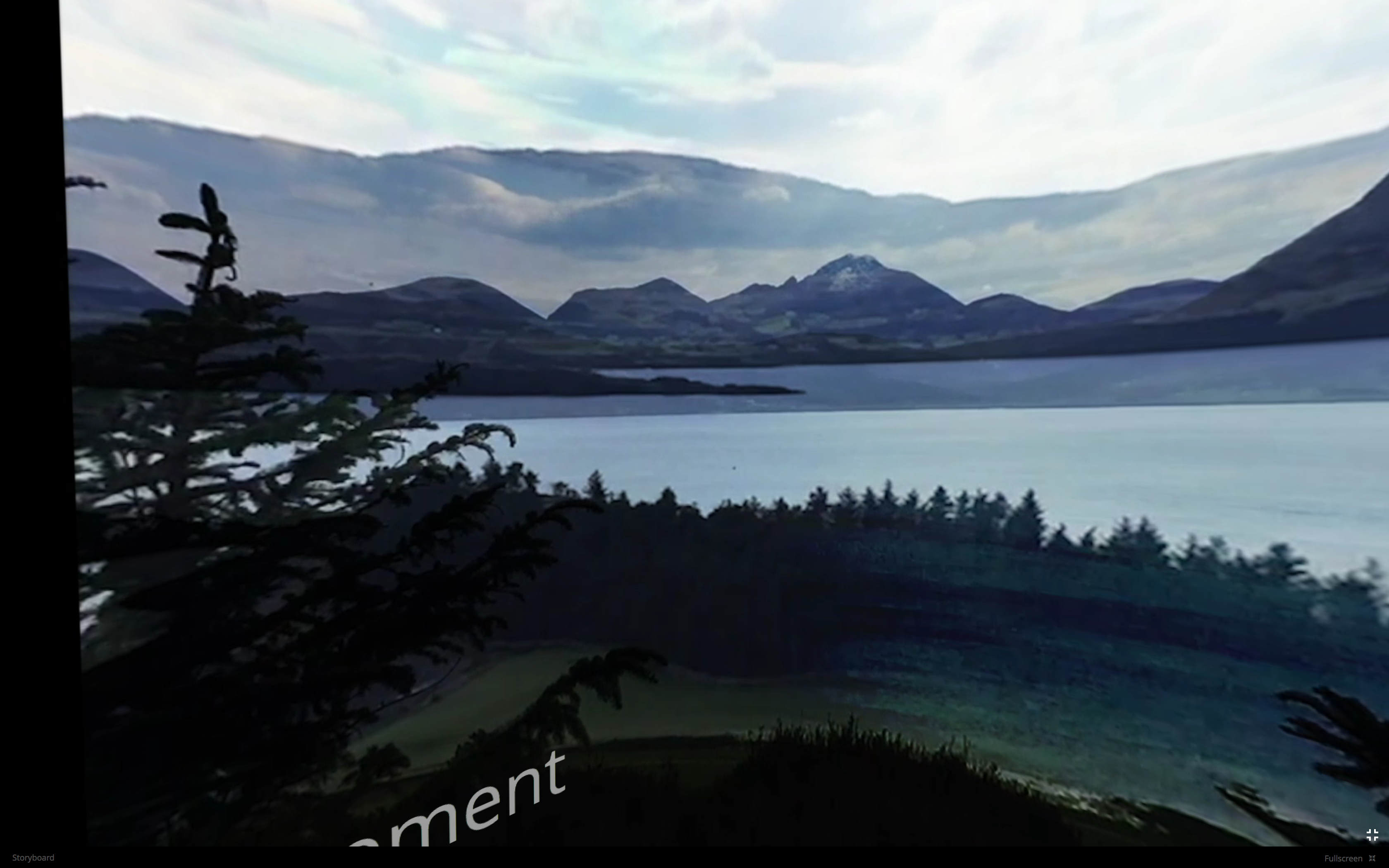
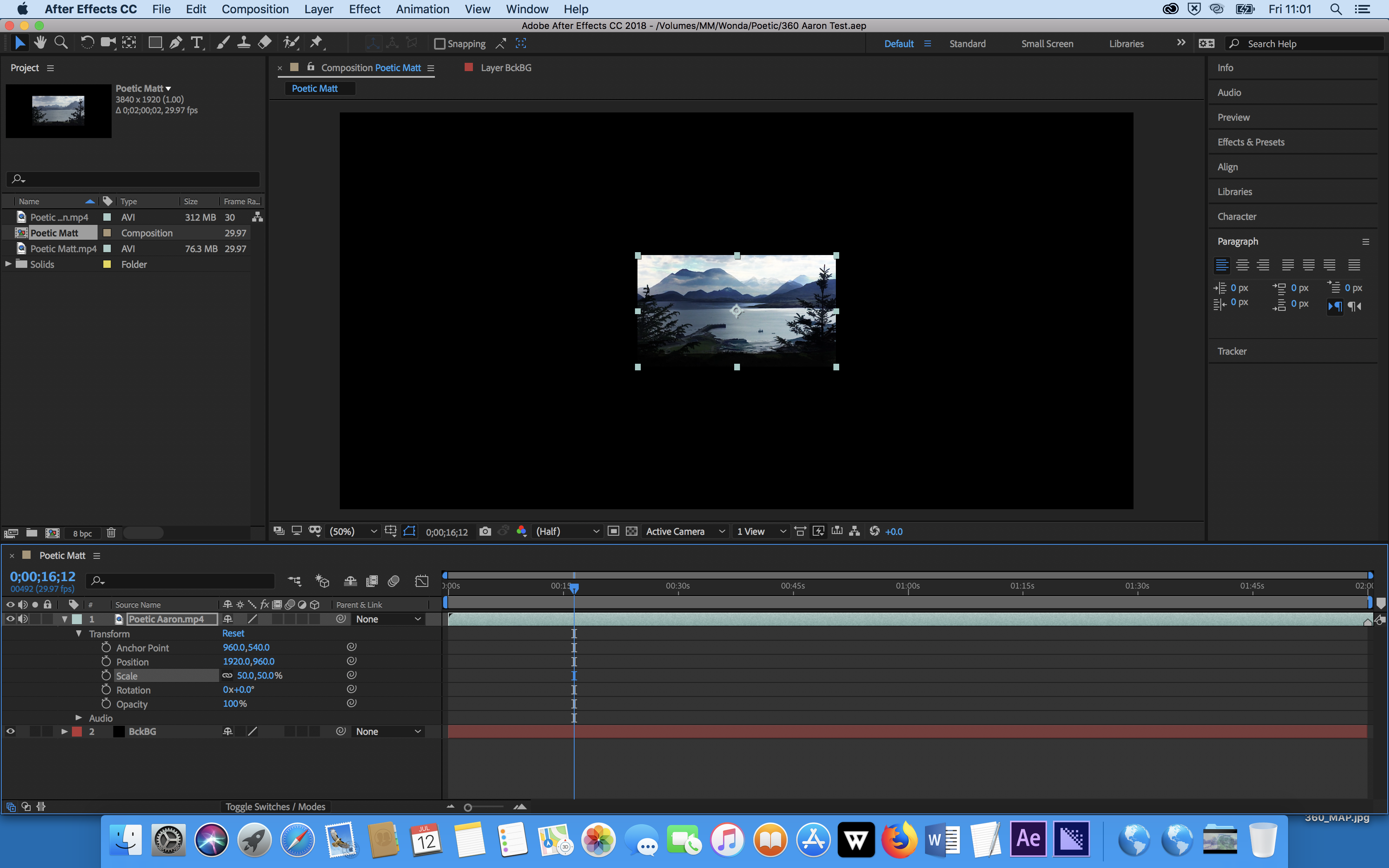
50%?360 After Effects Composition to place the film in 360 spaceStill not ideal but I think this is the best compromise as the artists initial composition is respected
So now I have something that works it is just a case of waiting for Media Encoder to go through all 14 of them.
I have spent the last few weeks wrestling with Wonda VR to create the structure to present the 360 experience that the group has curated. It has turned out to really difficult to collaborate on the process of constructing the site as we have not found a good way of sharing and combining the work, it would be really useful to have the ability to distribute this and have different team member submit commits to the code base in a Google Docs or GitHub fashion, but we have’t found a way to do this.
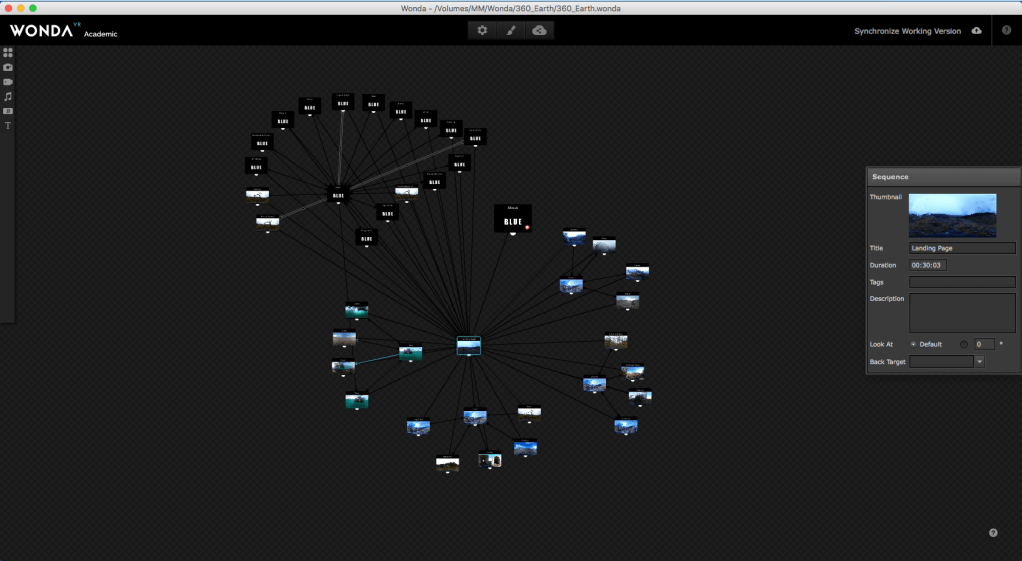
As a result I have done the majority of the layout and connecting work, I have been able to use some of the experience that I gained in the past creating interactive DVDs in DVD Studio.
The concepts of the nodal view where you can see the connections between sequences and check the layout of the project, and a sequence view where buttons, media, and interactivity are edited are largely the same.
I have been frustrated that in WONDA VR may of the keyboard shortcuts that I am familiar with ⌘C (copy) ⌘V (paste) ⌘Z (undo), don’t work reliably, having to work with the mouse has made me feel very unproductive. (This might just be a bug with the copy of the software that I am working with, but it doesn’t make it any less frustrating).
After feedback from Ken last week the landing page has been adjusted to be the about page so that visitors are introduced via an explanation of the project. I have been working to animate this text to bring it to life as part of the interactive experience, but this still requires some refinement.
Work in progress menu screen
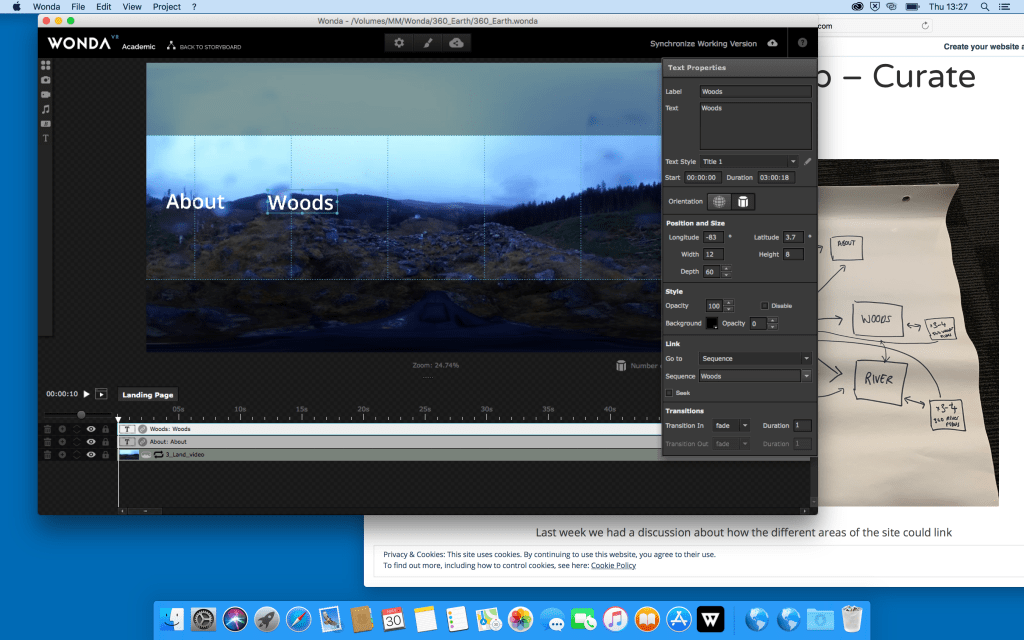
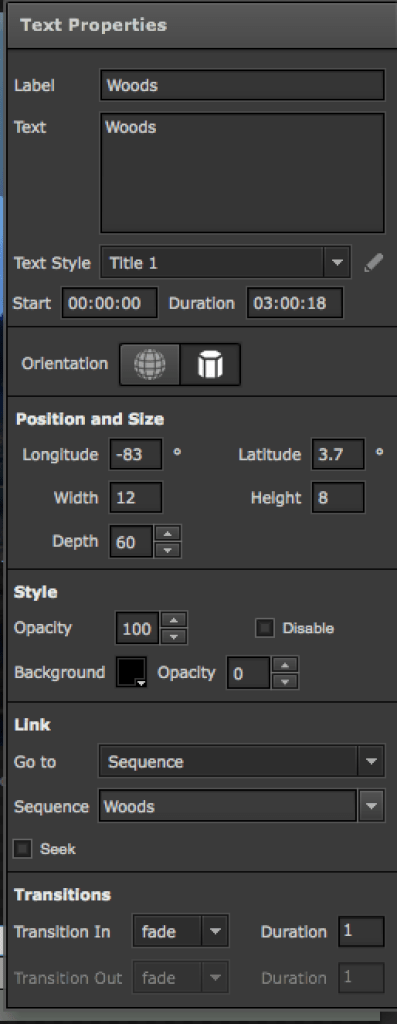
The basic navigation of the site is via interactive text buttons. Something that has been interesting to consider about text is how it is displayed in 360 space. WONDA has two options here one is a spherical layout, the other creates a faceted layout. Initially I was using the spherical layout but once the sequences became more complex the facet layout provides a more organised appearance.
Almost any object can be turned into a button by changing the parameters in the Link section. For internal linking it is as simple as selecting Sequence in the Go to option and the selecting the appropriate Sequence.
In order to show users that an element is actionable (I hesitate to use clickable as the experience is designed to be used with a VR headset on). It is possible to add interactions to elements.
Button Interaction editing
In this above screenshot this interaction shows the Gaze Over state being used to reduce the opacity of an element as it is being hovered over, similar to a mouse hover over but this time with the consideration of it being a VR experience. When the user Gaze Away the element returns to full opacity. I have not been able to test how this works in a VR headset yet and am concerned that I do not fully understand how a hover and click experience differs in this environment. Similar to working with 360 degree video I am finding that there are many skills that I have developed on previous projects that need subtle reconsideration when working in VR.
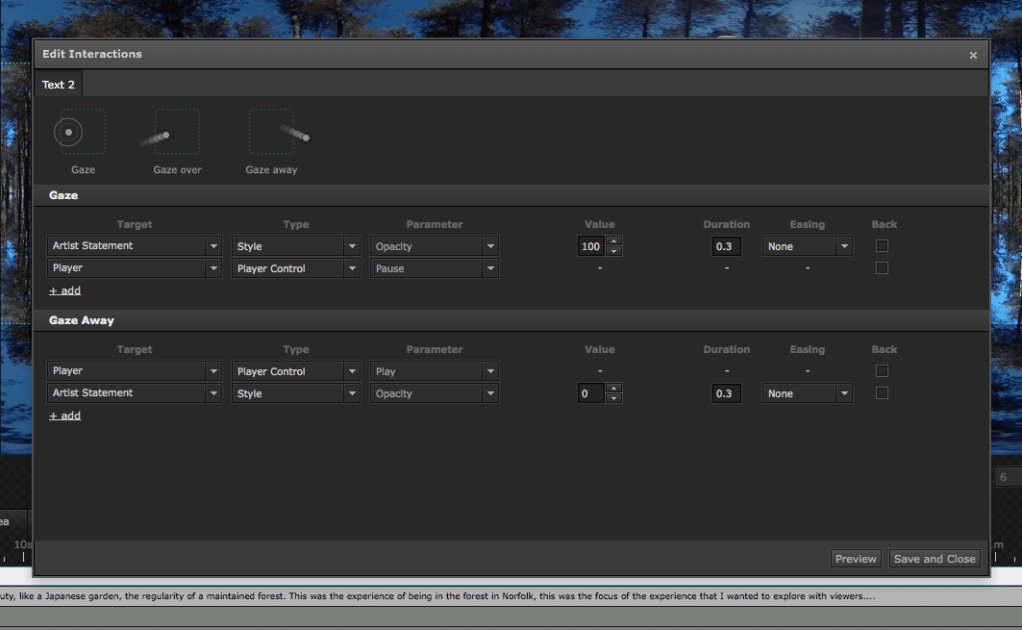
Below is an example of an experience that I have been experimenting with for displaying artists statements over their poetic films. When a viewer Gazes (clicks) the text ‘Artist Statement’ the paragraph of artist statement with fade in (increased opacity), and the video pauses. When the viewer has finished reading they simply Gaze Away , the paragraph disappearsand the video starts to play again.
Artist statement Interaction editing
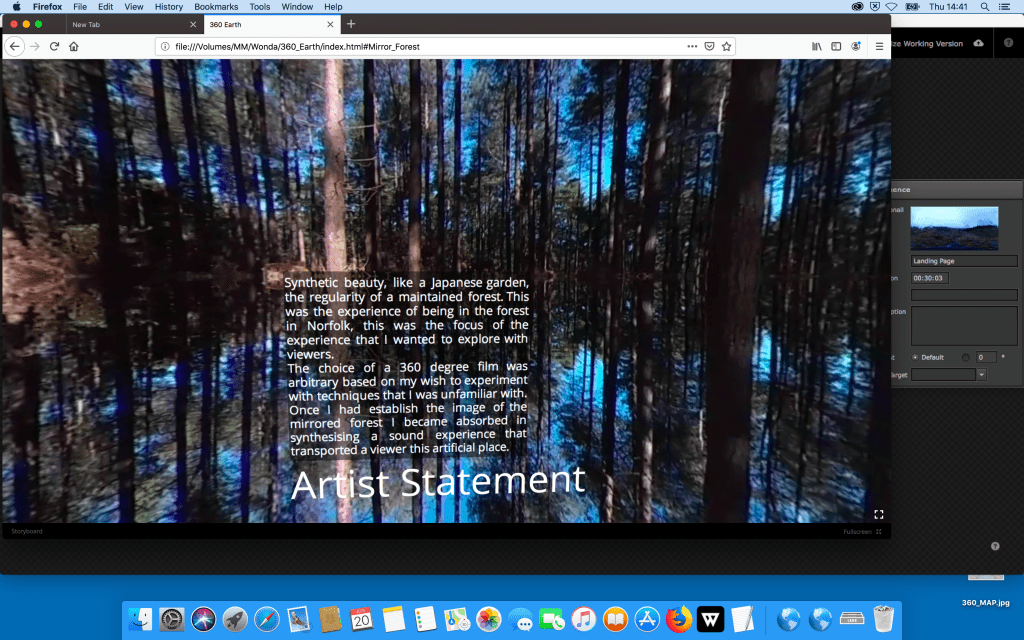
This shows what it looks like in a web browser, the semitransparent background behind the white text helps with legibility, in a VR experience the text is bigger due to the field of view.
Example artist statement view
Although it would have been enjoyable to collaborate more on the construction process there has been a good team dynamic with peers creating different sets of the assets and giving feedback on the layout. This has been essential in allowing me to focus on the fiddly task of connecting all of the buttons and sequences and allowing me to experiment with the interactions. This has been another opportunity to explore an area of media practice, an interactive experience, that I feel I have neglected recently.
Last week we had a discussion about how the different areas of the site could link together. I always find this a useful exercise when planning the navigation for an interactive project as it helps to visualise the structure and make it manageable.
This would have worked better when it was timely but…
I’m sure that there is an inserting post-modern discussion to be had around the fact that I have been more interested in the discussions that have gone on around the Netflix interactive fiction show/game/experience/title Bandersnatch (2018).
New Years novelty, the future of TV, or something else?
Personally my wife and I had an enjoyable 90 minutes exploring the several of the paths through the narrative. There were several points in the experience where we felt the creators were one step ahead of us. As the decisions became increasingly difficult to choose between what we saw as two ‘bad’ choices we chose to not choose, this resulted in the character harming themselves. We felt morally obligated to make the right choices but there wasn’t one. We eventually reached an ending that we felt had some finality and catharsis for us, we both commented on the uniqueness of the experience. It wasn’t a TV show because we felt responsibility for the character but equally it wasn’t a game like experience because we didn’t have a clear goal that we were trying to achieve.
It would be interesting to see how much further Netflix’s interactive experiences can be pushed. Bandersnatch is clearly trying to be as accessible as possible for a mainstream audience, especially for one that is not familiar with interactive fiction games, which is why it seems to keep its interactions mostly passive.
I spent a few days thinking about the experience wondering about the 21st Century media landscape. It could be argued that the quality of TV entertainment is higher than ever, it is a refined and established medium; HBO pushed the sale of the small screen with each mini movie episode of Game of Thrones, now Netflix, Amazon, and even Apple are pouring vast sums of money into original programming. But does all this cash result in new experiences or just better looking versions of the same old stories?
Bandersnatch is listed as a 90-minute movie but, if you watch it on your computer, phone or tablet (as opposed to your TV, since most TVs aren’t equipped for the interactive experience), the actual run time can be many hours. I went down that rabbit hole and, many hours later, wondered if just watching it on my TV without the ability to manipulate the story would have been a better option.
I partly waited to post this because I wanted to see if this was a one off or wether it was the first attempt, the new experience You vs. Us. seems to suggest that more is to come.
As I have begun to experiment with the tools in Wonda VR in preparation for the Curate project I returned to thinking about the intersection of interactiveness and immersion.
Even as games experiences try to become more immersive, I recently got to try some of the new generation of VR headset gaming and it really was loose yourself immersive, there seems to be a tension between immersiveness and interactivity. When were are asked to make intellectual choices we are pulled out of the illusion of the otherworld.




 mattprentice